
noise diary
An application for recording audio with real time noise level monitoring and calendar based organization.
Perfect for recording problematic noise events, monitoring patterns, and building evidence if needed.
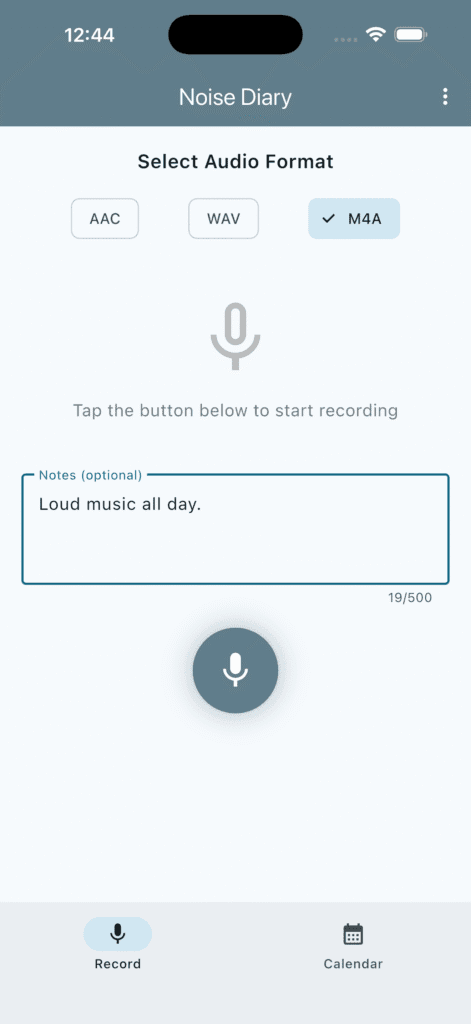
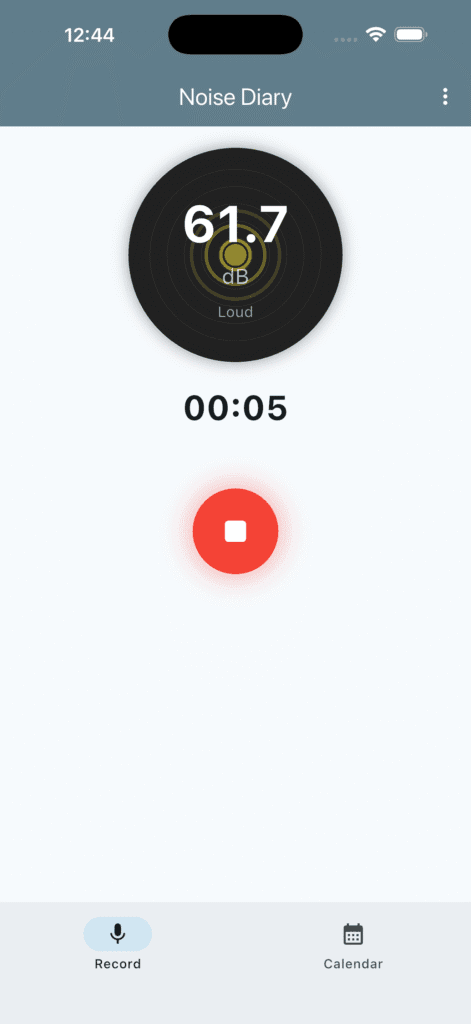
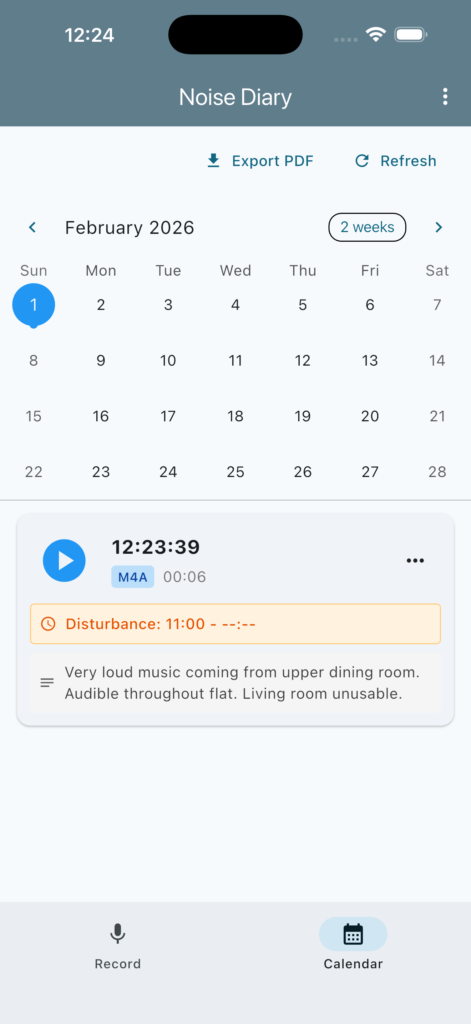
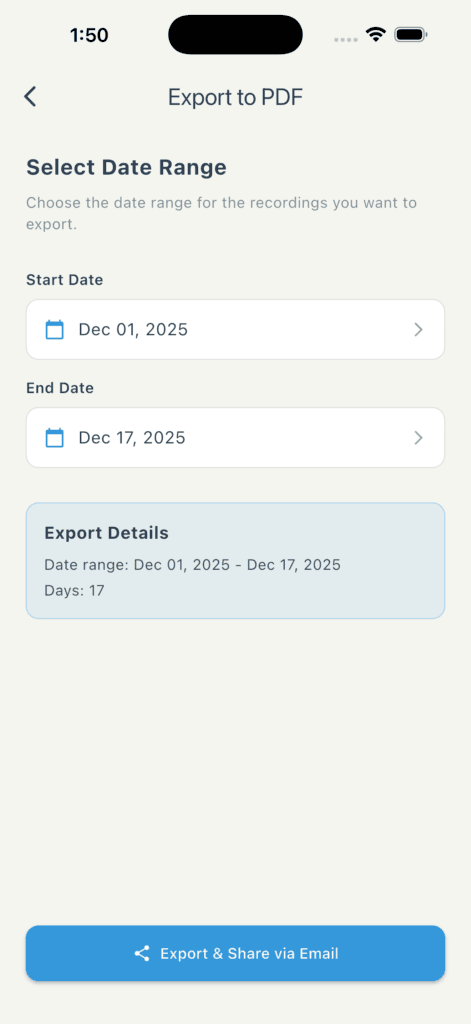
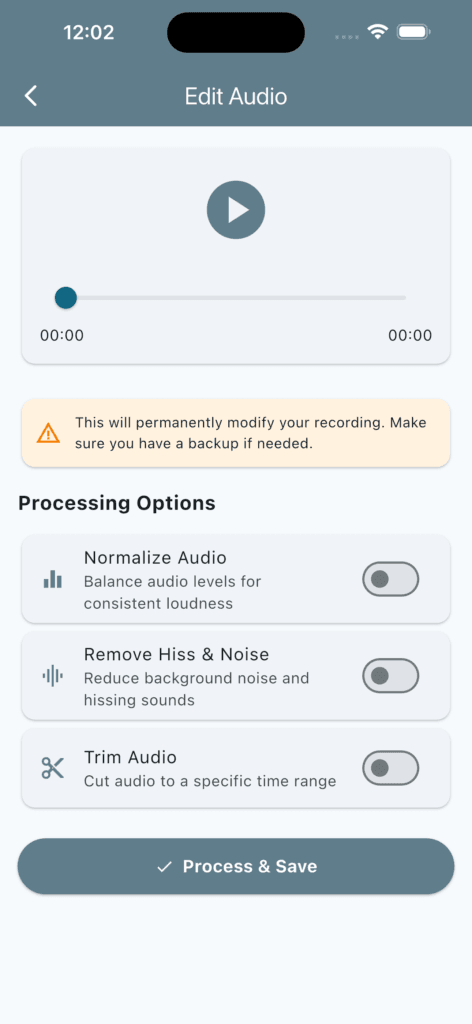
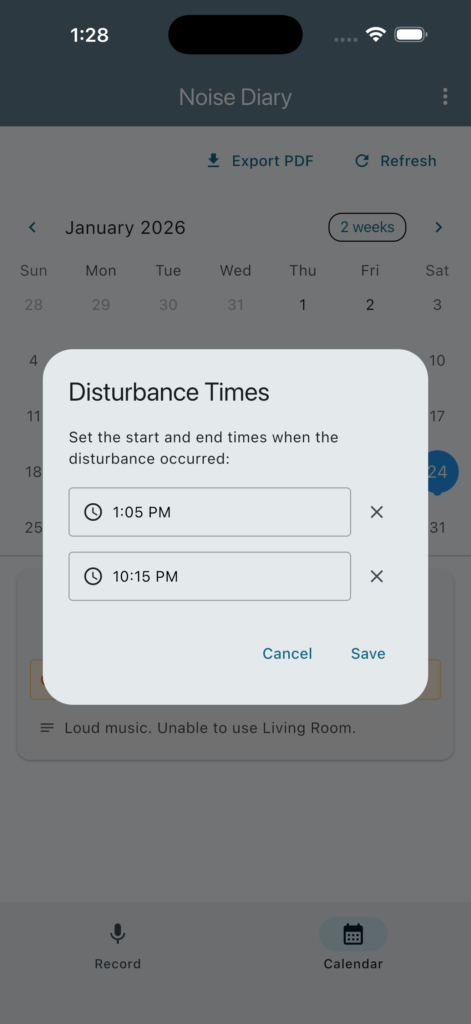
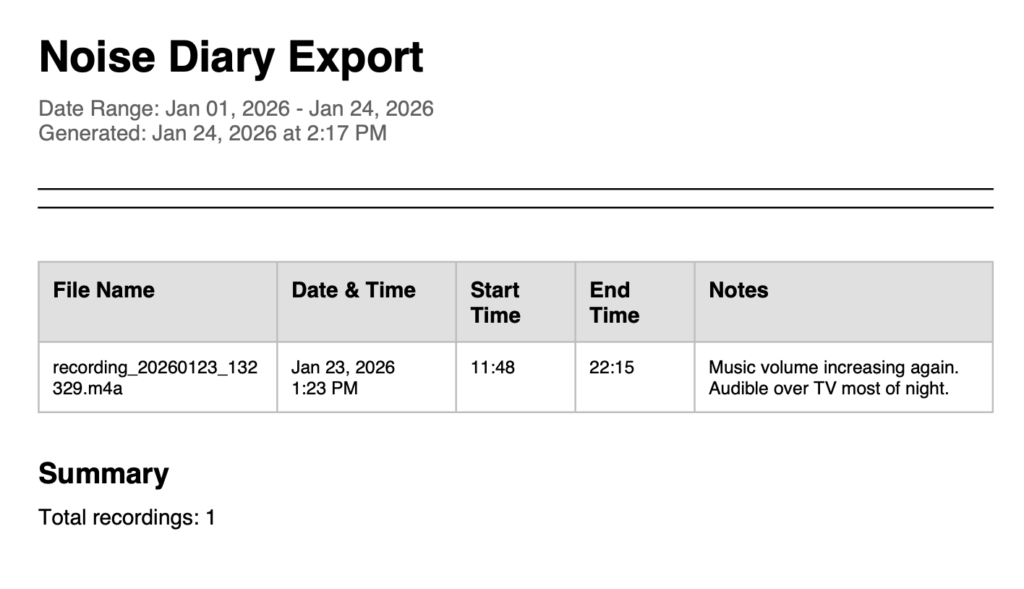
Normalize, remove hiss and noise and trim your recordings.
Normalization
Audio normalization is a crucial process in sound engineering that adjusts the volume levels of an audio track. By balancing the loudness throughout the piece, it ensures that the audio playback retains a consistent quality. This process is beneficial for both music and speech recordings, providing a more enjoyable listening experience.
Noise reduction
In the realm of audio production, maintaining clarity and quality is paramount. Noise reduction enhances audio files by removing unwanted hiss and background sounds. This process is crucial for achieving a professional output, especially in recordings where fidelity matters.
Created for anyone with noise nuisance issues who needs to keep a noise diary.
What is Noise Nuisance?
Noise nuisance is a legal term that refers to disturbing or harmful noise that affects an individual’s quality of life. This can include loud music, construction work, or persistent barking from pets. Under the law, if noise reaches a certain level, it may be classified as a nuisance, giving affected individuals the right to seek legal remedy.
The Legal Framework Surrounding Noise Nuisance
The law regarding noise nuisance varies by jurisdiction, but it generally hinges on the principle that everyone has the right to enjoy their property without unnecessary disturbances. Local ordinances often provide guidelines on acceptable noise levels, specific quiet hours, and permissible activities. In some cases, noise complaints can lead to enforcement actions by local authorities, indicating a breach of these regulations.
How to Address Noise Nuisances
If you are experiencing a noise nuisance, the first step is to communicate with the source of the noise. In many cases, the issue can be resolved amicably through conversation. If informal attempts fail, you can document the disturbances and report them to local authorities or file a formal complaint. Understanding your rights under the law regarding noise nuisance can empower you to take the necessary steps to protect your peace and well-being.
Read more…
https://www.gov.uk/report-noise-pollution-to-council
Noise Nuisance And Mental Health
Features
Audio Recording with Format Selection
- Choose between AAC, WAV, and M4A audio formats
- Realtime audio recording with microphone permission handling
- High quality audio capture at 44.1kHz sample rate
- **Note**: MP3 is not supported; AAC provides better quality at same file size
Noise Level Meter
- Visual noise meter displaying realtime audio amplitude
- Decibellike scale (0120 dB)
- Colour coded visualization (green to red based on volume)
- Animated waves that respond to audio input
- Level descriptions: Very Quiet, Quiet, Moderate, Loud, Very Loud, Extremely Loud
File Management
- Automatic saving with date and time stamps
- Files stored in app documents directory
- Organized recordings with metadata storage using SQLite
- Recording duration tracking
- Maximum amplitude tracking for each recording
Notes Functionality
- Add notes to recordings during or after recording
- Edit notes at any time
- Notes stored with recording metadata
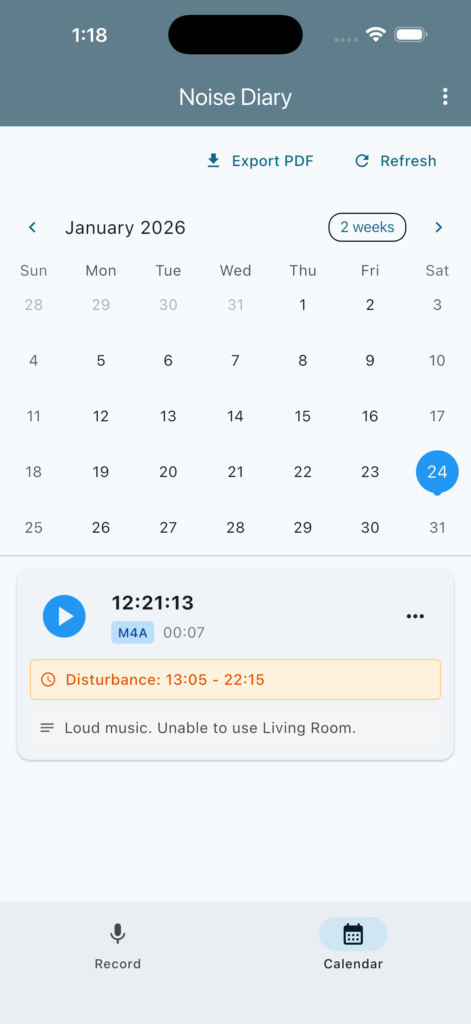
Calendar View
- Interactive calendar showing days with recordings
- Tap any date to view recordings from that day
- Visual indicators for dates with recordings
- Organized monthly view with easy navigation
Audio Playback
- Builtin audio player for each recording
- Progress bar with time display
- Play/pause controls
- Seek through recordings
Audio Editing
- Normalize audio
- Remove hiss & noise
- Overwrite original or backup
Sharing Capabilities
- Share recordings via email, messaging, or any installed sharing app
- Export to cloud services (Dropbox, Google Drive, etc.)
- Share with notes included as text
Additional Features
- Delete recordings with confirmation
- Recording duration display
- Format labels on each recording
- Modern Material Design 3 UI
- Darkthemed noise meter
- Bottom navigation for easy switching between Record and Calendar views

